
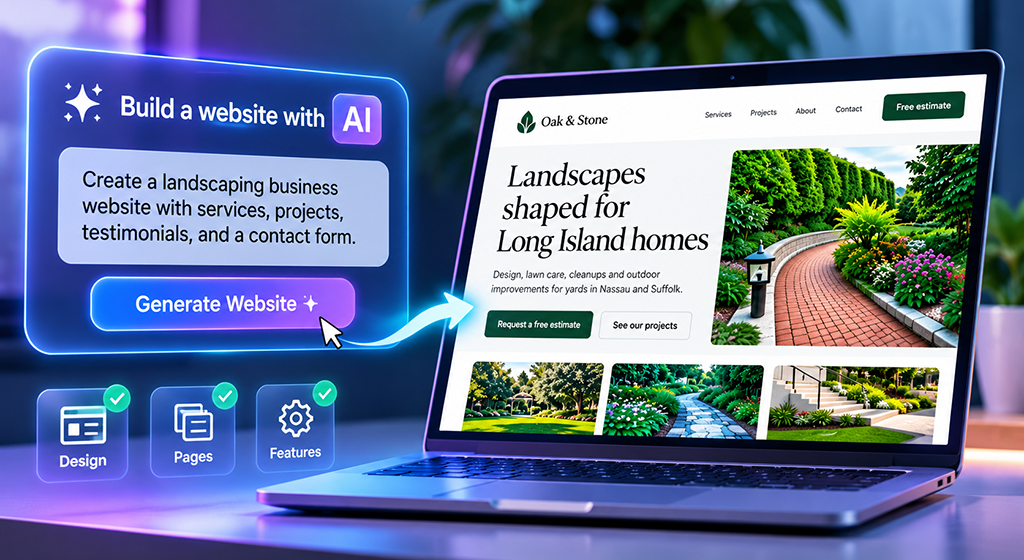
Bluehost AI Builder Review: I Built a Business Website Using AI
Paid partnership with Bluehost. Bluehost compensated me for this hands-on review. The opinions are my own. This article contains affiliate links, and I earn a commission from qualifying purchases.
Can artificial intelligence build a professional business website from a written description? I decided to find out using Bluehost AI Builder.
I’ve spent much of my career designing and managing websites, primarily using WordPress and other web technologies. I’m interested in tools that make website creation more accessible, but I also know that attractive design is only part of the job. Navigation, mobile usability, accurate content, and working features matter just as much.
For this review, I built and published a complete demonstration website. Here’s how the process went, what impressed me, and where I would exercise caution.
What Is Bluehost AI Builder?
Bluehost AI Builder lets you create websites and web applications by describing what you want in everyday language. Rather than selecting a theme and building each page manually, you enter instructions and let the AI generate an initial version.
You can then request changes through a chat interface. The idea is to reduce the technical work involved in launching a website, particularly for entrepreneurs, freelancers, and small business owners.
Bluehost advertises “$0 to start, no credit card”, so you can experiment without purchasing a plan upfront.
My Test: Oak & Stone Landscaping
I created a fictional Long Island landscaping company called Oak & Stone Landscaping. It was a useful test because a service business needs more than a homepage: it needs clear descriptions, examples of work, credibility, and a way for customers to get in touch.
I wanted to see whether the AI could create those elements, maintain a consistent design, and respond to additional instructions without my editing code.
Step 1: Writing the Initial Prompt
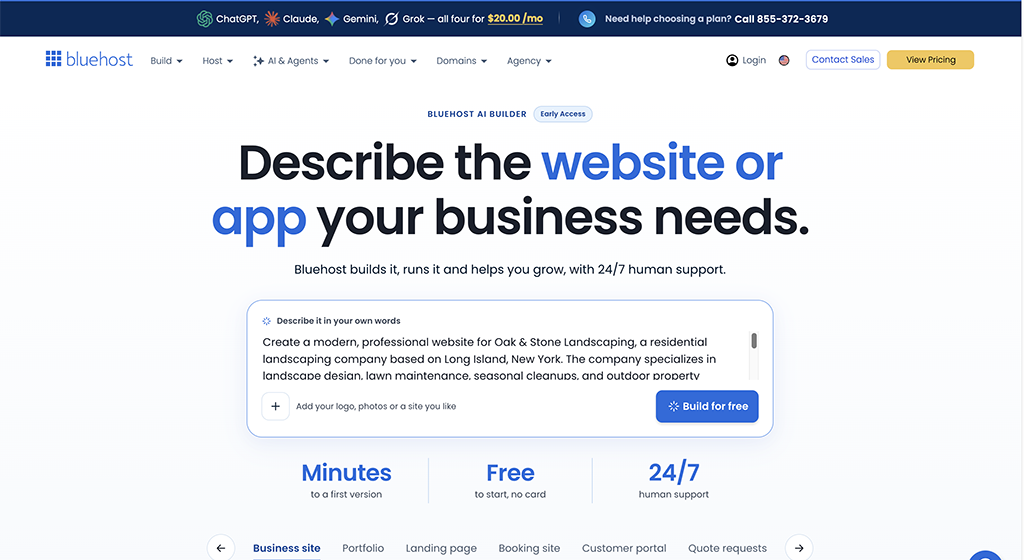
On the Bluehost AI Builder landing page, I described a residential landscaping company serving Long Island, New York. I requested a welcoming homepage, service pages, a project gallery, testimonials, and a contact form for free estimates.
For the visual direction, I specified forest green, charcoal, and white, with a nature-inspired appearance and mobile-friendly navigation.
After entering the prompt and creating a free account, I waited while the AI generated the site. I didn’t have to install WordPress, choose a theme, or configure plugins.
Step 2: Reviewing the First Design
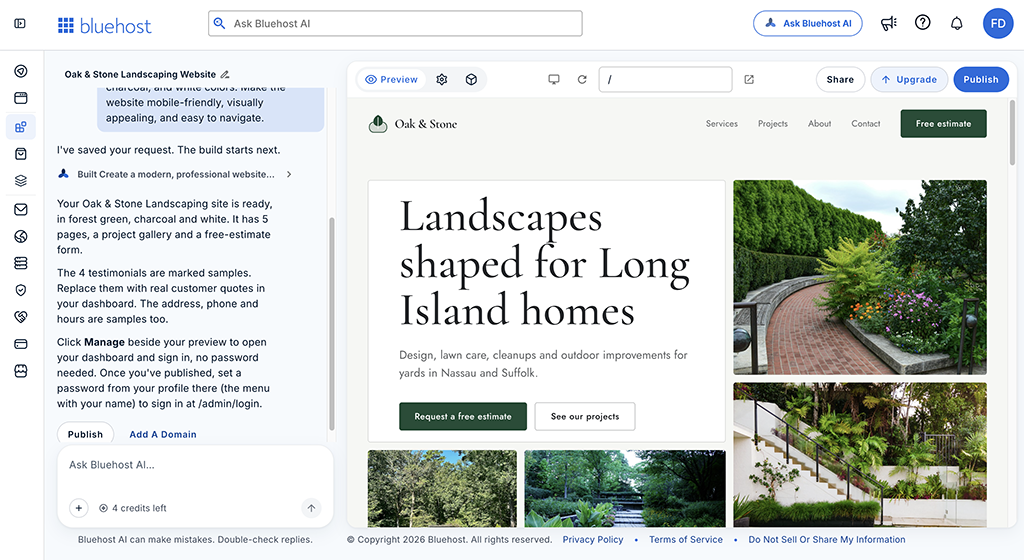
The initial result was better than I expected. The homepage featured a large headline, “Landscapes shaped for Long Island homes,” alongside landscaping photography and prominent buttons for requesting an estimate and viewing projects.
The navigation included Services, Projects, About, and Contact. The pages shared a consistent visual style, and the content was organized around what a prospective landscaping customer would want to know.
I hadn’t manually arranged the layout or built individual pages. The AI had translated my description into a coherent starting point.
That doesn’t mean the site was ready for a real business without review. Some content, including testimonials and project details, was illustrative. Those items would need to be replaced with genuine business information before a commercial launch.
Step 3: Checking Navigation and Mobile Layouts
I clicked through the navigation and reviewed the generated pages. The links worked and took me to the expected sections.
The contact area included form fields, estimate scheduling elements, and location information. I inspected these features, but I didn’t complete an end-to-end test of form delivery, notifications, or scheduling integrations. That’s an important distinction: a feature that looks finished isn’t necessarily production-ready.
I also checked the mobile layouts. The pages I reviewed adapted well to smaller screens, with readable text and organized navigation. That was encouraging, especially since I hadn’t manually created separate mobile designs.
Step 4: Making Changes Through Chat
Next, I wanted to see how easily I could improve the homepage.
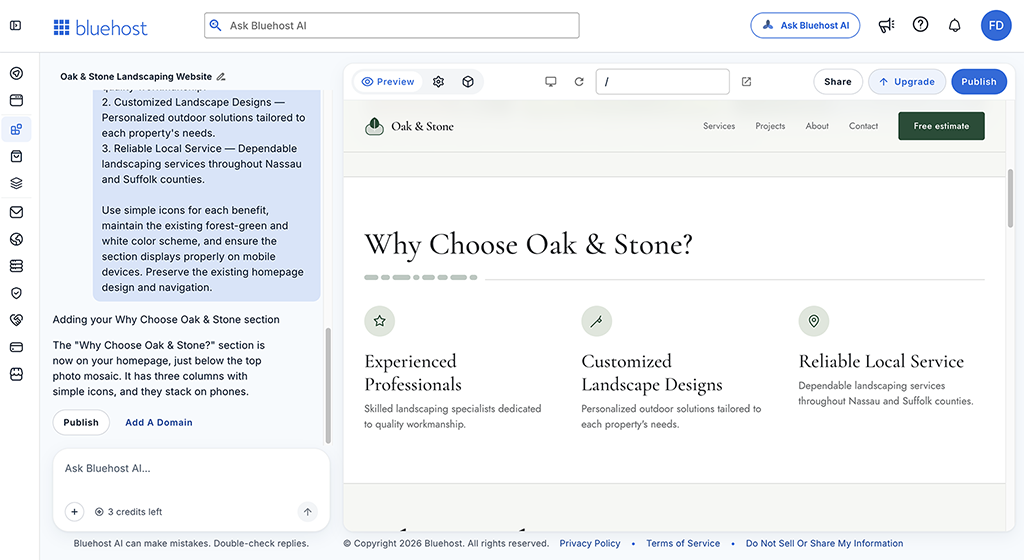
I asked Bluehost AI Builder to add a section called “Why Choose Oak & Stone?” with three benefits: Experienced Professionals, Customized Landscape Designs, and Reliable Local Service.
My instructions specified simple icons, a three-column desktop layout, and a mobile-friendly presentation consistent with the existing design.
The AI added the section beneath the homepage imagery. The headings, descriptions, and icons fit the overall style, and the columns stacked appropriately on mobile.
This was one of the strongest parts of the experience. Instead of opening a page builder and adjusting columns, spacing, and typography myself, I described the outcome I wanted. The AI handled the layout changes.
An Unexpected Feature: A Custom Dashboard
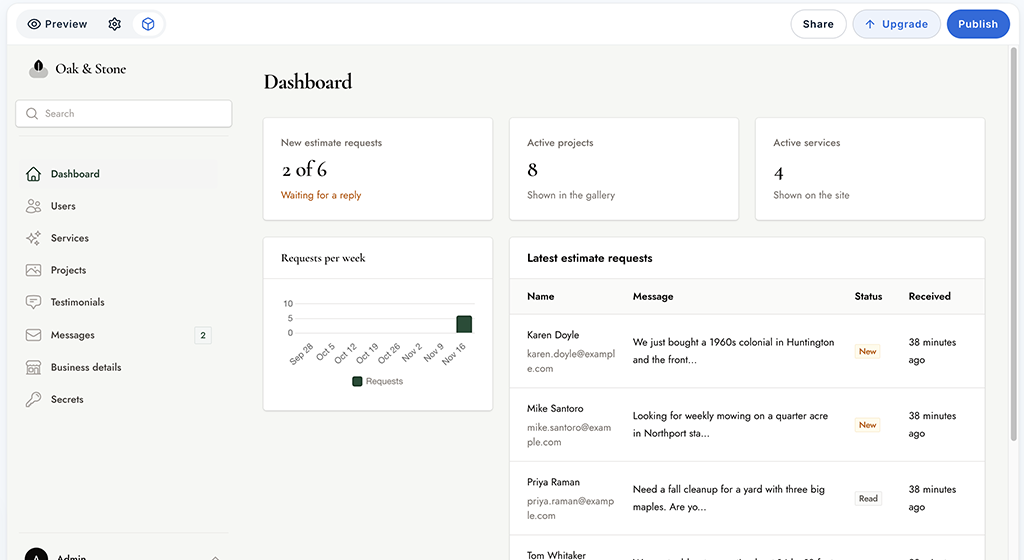
I was also surprised by the administrative interface. Rather than a standard WordPress dashboard, Bluehost generated a management area tailored to the landscaping business.
It included sections for services, projects, testimonials, messages, users, and business details. The main dashboard displayed sample estimate requests and business statistics.
Those records were demonstration data, not real customer activity. I didn’t independently test every administrative function, so I wouldn’t claim the entire system was ready to run a business. Still, it showed that the builder can generate more than public-facing pages.
Publishing the Website
The Free plan allows publication on a Bluehost subdomain. I chose that option because this was a demonstration, not an actual landscaping company.
I then used another prompt to add disclaimers explaining that Oak & Stone is fictional and that its services, projects, and testimonials are illustrative.
You can explore the finished result here:
Visit My Oak & Stone Landscaping Demo Website
The site is for demonstration purposes only and does not accept actual landscaping work.
Pricing and AI Credits
Bluehost advertises a Free plan as “$0 to start, no credit card” and “paid plans from $20/mo.”
I used the Free plan for this experiment. It provided a limited number of AI credits for building and editing, plus publication on a Bluehost subdomain.
Credits matter because additional AI-generated changes can consume them. According to Bluehost, a published website stays online even when the credit balance reaches zero.
Connecting your own domain requires a paid plan. For a real business, that distinction is important: a branded domain is generally preferable to a temporary-looking subdomain.
Check Bluehost’s current pricing and credit allowances before choosing a plan, since product terms can change.
What I Liked—and What Needs Attention
Several things stood out during my test:
- Quick setup: I could start building without installing a CMS or configuring hosting.
- Coherent design: The initial pages followed my requested colors, layout, and business focus.
- Conversational editing: Adding a new homepage section required instructions rather than manual layout work.
- Responsive presentation: The pages I checked worked well at mobile sizes.
- Custom dashboard: The generated business interface was more ambitious than a basic brochure site.
There are limitations worth considering, too.
Review every claim. AI-generated testimonials, addresses, project descriptions, and other details can be placeholders or inventions. Real businesses must replace them with verified information.
Test important workflows. Forms, bookings, and administrative tools should be tested before accepting real customer information.
Don’t assume automatic SEO success. A good-looking website doesn’t guarantee search rankings. Useful content, technical quality, and ongoing optimization still matter.
Consider long-term control. Conversational editing is convenient, but a complex website may require integrations or detailed customization beyond what a particular AI builder supports.
Bluehost AI Builder vs. WordPress
I work extensively with WordPress, so this distinction matters to me.
WordPress offers an established content management system, a large plugin ecosystem, and substantial control over how a website is built and maintained. It remains a strong choice for projects with specialized requirements.
Bluehost AI Builder emphasizes a different workflow: describe the website, review the generated result, and request revisions through chat. My demonstration also produced a custom dashboard rather than a traditional WordPress admin area.
I wouldn’t call one universally better. A small business that wants to get online quickly may appreciate AI Builder’s simplicity. A business needing complex integrations, extensive customization, or a familiar CMS may prefer WordPress.
My Final Assessment
Overall, Bluehost AI Builder made a positive impression. From a single detailed prompt, it created a multi-page business website with an attractive design, working navigation, mobile-friendly layouts, and an administrative interface. I was also able to improve the homepage through conversational editing.
For entrepreneurs and small business owners who want to explore a website idea without writing code, Bluehost AI Builder is worth trying.
My recommendation is to start with the free option, give the AI a specific description of your business, and evaluate what it creates before committing to a paid plan.
$0 to Start, No Credit Card
I earn a commission when you make a qualifying purchase through this affiliate link.
About the Author

Frank DeBlasi is a web design and digital media professional with extensive experience helping businesses build, manage, and grow high-performing online presences. Frank’s work and industry perspectives have been featured on major media outlets including Fox Business, Fox News, and ABC, and he is known for creating visually polished, conversion-focused websites that drive measurable results.